Remove shortcut arrow from desktop icons completely


To remove shortcut arrow from desktop icons in any type of document


a) Perform instructions described under ‘Remove shortcut arrow from desktop icons’. For your convenience, steps 1 to 3 are reported here.
b) Perform instructions described under ‘Remove shortcut arrow from desktop icons (2)’. For your convenience, steps 4 and 5 are reported here.
c) And finally, do the same with conferencelink, docshortcut, internetshortcut and wshfile.
So, here is a summary of all actions:
1. Start regedit.
2. Navigate to HKEY_CLASSES_ROOT\lnkfile
3. Delete the IsShortcut registry value.
4. Navigate to HKEY_CLASSES_ROOT\piffile
5. Delete the IsShortcut registry value.
6. Navigate to HKEY_CLASSES_ROOT\ConferenceLink
7. Delete the IsShortcut registry value.
8. Navigate to HKEY_CLASSES_ROOT\DocShortCut
9. Delete the IsShortcut registry value.
10.Navigate to HKEY_CLASSES_ROOT\InternetShortcut
11. Delete the IsShortcut registry value.
12. Navigate to HKEY_CLASSES_ROOT\WSHFile
13. Delete the IsShortcut registry value.
14. Close regedit.
Logoff and… Enjoy!
Note : Please note that in some cases deactivating the arrow for *.LNK files might lead to duplicate items in the Explorer Context menu.


Some Facebook Timeline Cover Sites.


Here are some Sites Which Can Give you Good Timeline Covers for Your Facebook Timeline.


1. FB PROFILE COVERS.COM 


2. My FB COVERS.COM


3. Timeline Cover Banner


4. CoverPhotoFinder.com


5.  FaceCoverz.com


6. MYPROFILECOVER.COM


7. CoverPhotoz


8. CoverizeMe

Note: You must have Facebook Timeline Activated in order to use Timeline Covers.


13 useful VLC keyboard shortcuts .


Frequent VLC user? You're missing out if you haven't memorized these keyboard shortcuts yet.
If you're like me, you enjoy doing things faster. Using keyboard shortcuts can help you spend less time looking for buttons or menus, and more time enjoying music and videos. So take a moment to become a more efficient by reading over these VLC shortcuts:
Space: toggle pause/play
F: toggle full-screen (you can also use Esc to leave full-screen mode)
Z: change zoom mode
Ctrl + Up / Down: Adjust volume up/down (you can also use mouse scroll wheel for this)
M: toggle mute
T: display time remaining/elapsed
+ / -: play media faster/slower
S: stop play
Ctrl + H: toggle control display
E: watch video frame by frame
V: toggle subtitles
P: previous item in media que
N: next item in media que.

If you know more Then plz comment. 


MOST WANTED 7 THINGS YOU DIDN'T KNOW ABOUT VLC PLAYER .


If you don't have VLC player installed on you computer, Download it from here...
VLC media player is one of the most popular player for  most people.It as got almost all codecs.It can play almost all types of video and audio files. VLC can do a lot of other things beyond your imagination. icon wink 7 Things You Didnt Know VLC Could Do  Find out how many of these listed below you knew, and how many you did not.I would like to share it here icon smile 7 Things You Didnt Know VLC Could Do
Checkout,
 

1. Download YouTube.com and other online videos:


First copy the URL of the YouTube video page. Now click on Media –>Open Network stream. Paste the URL and click Play.
Once VLC starts streaming the video, click Tools –>Codec Information and at the bottom of the window you will see a Location box. Copy the URL and paste it on your browser’s address bar. Your web browser will now download the file which you can save it to your hard disk. Alternatively, you can record the video.
 you knew this?

2. Rip DVDs:


VLC includes a basic DVD ripper. You probably would never use it when there are better DVD rippers available, but it helps to know that you can in fact, get a decent quality DVD rip with VLC. To convert a DVD, movie follow these steps: Go to the Media menu and choose Convert–>Save. Click on the Disc tab.
Here you can adjust the Starting Position and rip only specific titles or chapters.
Enter file name making sure to end with .MPG, and start ripping.
Click Save.

3. Record videos:


With the new VLC, you can record videos during playback. The record button is hidden by default. To see it, click on View–>Advanced Control. The record button will now appear. Clicking on the button while playing a movie or video will start recording the video. Clicking again will stop recording.

4. Play RAR files:


Do you know VLC can play videos zipped inside RAR files? They play like normal video files and you can even use the seek bar. If the RAR file is split into several files, no problem. Just load the first part (.part001.rar ) and it will automatically take the rest of the parts and play the whole file. you cant use this feature in other softwares.

5. Listen to online radio:


VLC includes hundreds of Shoutcast radio stations. You just need to enable it through Media –>Services Discovery –> Shoutcast radio listings. Now, open the Playlist and browse through the stations.

6. Convert Audio and Video formats:


In VLC you can convert video and audio files from one format to another. Several different formats are supported like MP4, WMV, AVI, OGG, MP3 etc. To access the converter:
* Go to Media –>Convert/Save.
* Load the file you want to convert using the Add button and click Convert.
* Now choose the output format and output file location.

7. Play in ASCII mode:


VLC media player has an amusing ability, to playback movies in ASCII art. To enable ASCII mode, open VLC media player and click on Tools –>Preferences. Open the section “Video” section and under “Output” select “Color ASCII art video output” from the drop down menu. Save it. Now play any video file to enjoy the ASCII art.


Use Google Translate to Access Blocked Site in Your college/School or Office.


You might be faced problem while accessing Internet in Your college or Office because many sites are Blocked by the college Administration.Sites like facebook, Youtube and many social networking sites are not working while you type the address in address bar of your browser.
Than what to Do to Access these site??
One option may be using proxy servers like hidemyass.com or cooltunel.com.But What if they are also blocked by your college/office Administration.If college/office firewall configured such that it also not allowing you to access proxy servers also than you have no easy option in your hand.
Don't worry I have a very easy and working option for you which will definitely work in any college office or school Infrastructure where many social networking sites and proxy servers sites are blocked by firewall.
You can Use Google Translate to Access the Blocked Site In you college/office network.
Follow these steps simply..
1.Go to translate.google.com/
2.Enter Your Blocked site Address
3.Select Your regional Language
4.Click translate.
5.Done

Google will open The site in encrypted Mode so no firewall can detect it.Every firewall will allow it because no firewall configured to block Google.


Animated Emoticons for Facebook Chat .


We have already posted smileys  code for Facebook  So these are animated that’s why you will love them sharing with all your friends. So in the right image I just shared these animated emoticons with my friend  I think he loved these codes and I loved sharing with all of you.


Animated Emoticons Codes for Facebook Chat :

[[126236287388324]] – Love Code
[[126125527399400]] – Muaaach Kissing :*
[[126134560731830]] – Hoam Ngantuk Rek
[[126261164052503]] – Hula Hula
[[126221767389776]] – Spin Heart
[[126214010723885]] – Stroke
[[126386227373330]] – Oversleep Insomnia
[[389448181885]]    – Week
[[126539730695178]] – Love Shame
[[126540207361797]] – Love Smail
[[126232017388751]] – Broken heart
[[126229700722316]] – Pikachu
[[126392380706048]] – ready sleep
[[126276450717641]] – blast love ..tiupan cinta
[[126391564039463]] – Stress
[[110566632320002]] – Cat listening to music
[[126230590722227]] – Super Mario
[[126213110723975]] – Hello Ketty
[[126227960722490]] – kiss
[[126230880722198]] – Green Worm Ani
[[126229327389020]] – Rose Red Ani
[[127868980561350]] – Heart beat
[[126220920723194]] – Santa
[[126216480723638]] – butterfly blue
[[126132024065417]] – Heart rotate ani
[[126278187384134]] – O Yeah Hippo
[126217194056900]]  – i ♥ u
[[389449726885]]    – i love you
[[126540207361797]] – Smileys Inlove
[[398699314236]]    – Teddy n ♥
[[110780922298250]] – Heart on Fire
[[127878643893717]] – hand Clap
[[398570519236]]    – mickey at Sleep
[[394930959230]]    – Smileys Zzzz
[[126398717372810]] – Converse
[[110563818986950]] – Wew
[[110566395653359]] – cat licking screen


Blue Coat K9 Web Protection.


Blue Coat K9 Web Protection you can register for free by email. Blue Coat K9 Web Protection very easy to implement, even for a novice user. Its simplicity comes from the fact that it comes from a paid program (indeed, the accuracy is still a fee for commercial use, is free for personal use).

Blue Coat K9 Web Protection divided by category, so that you can choose the categories that do not want our children to see. Just launch the program, enter your password, choose the topic of the sites that want to block.


Important not to forget the password, otherwise it becomes quite complicated to uninstall it. It 's also able to limit and stop surfing the Internet during certain hours or certain days (useful for those who do not want their children to use computers but do not get too over the internet). Click here to get Blue Coat K9 Web Protection.


PDFCreator 1.3.0: Virtual printer with which you can create PDF files from any program.


PDFCreator 1.3.0 is a small program to create PDF files from any text editing program. Installs as a "printer" and to save the file in PDF format to "print" the document. You only need to provide details of the document (title, date, author), and the rest is done for our program.

PDFCreator 1.3.0 is a virtual printer with which you can create PDF files from any program. It installs in minutes and works just like a printer.
Creating a PDF with PDFCreator 1.3.0
To create a PDF with PDFCreator 1.3.0, print requests from any program (eg Word ) and select PDFCreator 1.3.0 as your printer. A panel appears where you can fill in the details of the document title, author, subject, keywords, etc..
The buttons on the box allow PDFCreator 1.3.0 print save the PDF, email it or put in queue. After a few seconds your new PDF document will be ready.
By default, PDFCreator 1.3.0 will open with the default viewer ( Adobe Reader , Foxit , or you have installed). This behavior can be disabled by unchecking PDFCreator 1.3.0 a box in the Print window.

Finally, in the PDFCreator 1.3.0 options you can adjust the print quality, define actions to be executed before or after save or rename automatically define templates for printed documents.

PDFCreator 1.3.0 is without doubt one of the best programs to print to PDF. Given the large number of existing PDF printers, noted for its speed, configuration options and integration with Windows.

Size: 16.99 MB
Publisher: Visit Website
Release Date: 2012-3-13
OS: Win 9x/ME/2K/NT/XP/Vista


What is 94FBR ?


This is very useful in searching product or serial key of any software

go to google type like this

94fbr kaspersky
94fbr nero
94fbr winrar
94fbr avast
94fbr adobe photoshop
etc

94fbr followed by software name or software name followed by 94fbr,then click search you will get the serial and cracks.

94FBR was part of a Microsoft Office 2000 product key that was released on the internet that bypassed Microsofts activation system.Because it is a relatively uncommon term, when you add it to your search queries, it will generally return results of pages listing illegal serial numbers.


How to Use Colourful Alphabets in Facebook Chat ?


You can use colourful text in facebook chat.Its a very simple trick .Now facebook allows you to post profile picture of any person on facebook in your chat by using its profile id or username between [[ and ]].Example [[profile id]]  then paste this in your chat.It will chow profile picture of the user.Similarly you can post colourful text in fb chat box.


Below is the list for all the alphabets . Just copy the alphabets one by one , inserting a space between every alphabet.Copy these codes and amaze your friends.This tricks work only in pc not in mobile phones.

[[107015582669715]] = A

[[116067591741123]] = B

[[115602405121532]] = C

[[112542438763744]] = D

[[115430438474268]] = E

[[109225112442557]] = F

[[111532845537326]] = G

[[111356865552629]] = H

[[109294689102123]] = I

[[126362660720793]] = J

[[116651741681944]] = K

[[115807951764667]] = L

[[106596672714242]] = M

[[108634132504932]] = N

[[116564658357124]] = O

[[111669128857397]] = P

[[107061805996548]] = Q

[[106699962703083]] = R

[[115927268419031]] = S

[[112669162092780]] = T

[[108983579135532]] = U

[[107023745999320]] = V

[[106678406038354]] = W

[[116740548336581]] = X

[[112416755444217]] = Y

[[165724910215]] = Z


Suppose you want to write love in fb chat copy and paste this in your chat

[[115807951764667]] [[116564658357124]] [[107023745999320]] [[115430438474268]]


How To Show Only Online Friends In Facebook Chat .


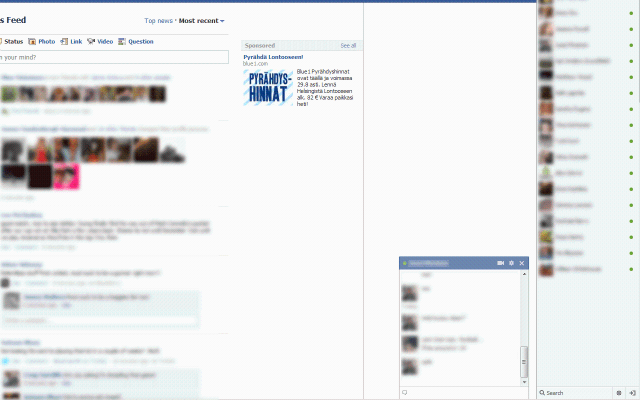
New Facebook chat window shows the both online and offline friends in single window and you have to scroll down to see all online friends or search for the specific friend from the search area. If you are irritated with this chat box and wants to remove it to show only online friends then install Facebook Chat Fix Google chrome extension in chrome browser. Along with removing all offline friends from the list, It will also remove the Live News Ticker box from your Facebook. This works only on Google chrome.

 It is Google chrome extension so you don’t have to like any page and install any application before using this extension and you don’t have to grant permissions from your data to install this extension.

Only work in windows operating system


DOWNLOAD 7-Zip


There are many options to compress and decompress archive formats or 'Zip' files on your computer, but 7-Zip has more features than the windows integrated solution and is also free! 7-Zip is very lightweight and gives you the ability to create many archive types, not just the common windows variant .zip.


This software lets you compress files with a higher compression ratio.It features new archive format known as 7z. Compression ratio in the new 7z format is 30-50% better than the ratio in zip format

  • Fast compression and decompression
  • Self-extracting capability for 7z format
  • Powerful file manager
  • Powerful command line vision
  • Supports upto 74 languages. 


WANT TO KNOW WHO USED YOUR PC IN YOUR ABSENCE.


Want to know Who Used Your Pc In Your Absence & what Did He Do?

just follow these simple steps

start > run >eventvwr.msc


Events are stored in three log files: Application, Security, and System.

These logs can be reviewed and archived.

For our purposes we want the System log. Click on "System" in the left-hand column for a list of events.

Look for a date and time when you weren't home and your computer should have been off.

double click on the eg: info n it will show u the detail.

You can also use this log to see how long someone was on the computer.

Just look at the time the computer was turned on and off for that day.


How to (Flip) Upside Down Facebook Status Update.....


Go to the website www.fliptext.org.
In the upper field type your status that you want to update and then click on Flip Text button.
Now in the lower field you will see flipped text of your status.


Copy it and update it as your status.


An Amazing Trick For you (Flying Images)


You never seen it before. Go to any Wallpapers website.


Or u can go to google.com and search image.


 when the site is completely loaded. then copy the following code and Paste your Browser (Address Bar)

javascript:R=0; x1=.1; y1=.05; x2=.25; y2=.24; x3=1.6; y3=.24; x4=300;  y4=200; x5=300; y5=200; DI=document.getElementsByTagName("img"); DIL=DI.  length; function A(){for(i=0; i-DIL; i++){DIS=DI[ i ].style; DIS.position=' absolute'; DIS.left=(Math.sin(R*x1+i*x2+x3)*x4+x5)+"px"; DIS.top=(Math.cos  (R*y1+i*y2+y3)*y4+y5)+"px"}R++}setInterval('A()',5); void(0);


and hit the enter Button,

 And See the Amazing Magic,


Bitdefender(BD) bit-defender-2012-key.


BITDEFENDER 2012


ANTIVIRUS PLUS - INTERNET SECURITY AND TOTAL SECURITY


(32 AND 64 BIT)


You always download the latest releases of BitDefender 2012 products
because their links are those from BitDefender's website.


The Patch by BOX 3.1 which converts any BitDefender 2012 Trial Version into
a Registered Version until year 2045, has separate links for downloading. 
Code:
BITDEFENDER TOTAL SECURITY 2012 (32 Bit = 228 MB)
http://download.bitdefender.com/windows/desktop/t_security/2012/en-us/bitdefender_ts_2012_32b.exe


BITDEFENDER TOTAL SECURITY 2012 (64 Bit = 248 MB)
http://download.bitdefender.com/windows/desktop/t_security/2012/en-us/bitdefender_ts_2012_64b.exe


Download the Patch by BOX 3.1 (435 KB only) for any BitDefender 2012 product from link:-


Arrow BitDefender 2012 - Brief Instructions: Installation and Patching

Quote:
1) Uninstall from the PC any Antivirus or Security Suite or any previous BitDefender version and restart the PC.
2) Download the chosen BitDefender 2012 security product installer only from the appropriate BitDefender direct links furnished above.
3) Since some problems with the installation process of BitDefender 2012 have been experienced, please check that no devices are connected to the USB ports of the PC (mainly pendrives or external USB HDDs).
4) To expedite the installation process, it is recommended to disconnect the PC from Internet and begin installation by executing the downloaded installer with administration privileges.
5) During installation process, choose "I want to evaluate this product" and enter a fake e-mail (always observe e-mail format standard).
6) Restart the PC if you are asked to do so (normally this occurs when malware is found while the PC is scanned by BitDefender during installation).
7) Renable Internet connection and update BitDefender.
8) Download the Patch by BOX 3.1 ("Box_BD2011_3.1.rar") from any of the above furnished links to the Desktop. However, if BitDefender 2012 doesn' t allow you to download the Patch by BOX 3.1 or deletes the executable when you try to extract it from the compressed file you have downloaded, proceed as follows:
Quote:
Disable BitDefender 2012 Real-Time protection: Click "Settings" and then click the following tabs => Antivirus => OnAccess scanning (switch it "OFF") and select your required time from the popup window, and and also switch "Active Virus Control" to "OFF", if it ON, and then download the Patch by BOX 3.1 (Thanks to chintuishero for this tutorial on how to Disable Real-Time protection).


9) Restart the PC in Windows Safe Mode (when the BIOS post ends, start taping the F8 key repeatedly). If you cannot succeed to start the PC in Safe Mode by taping the F8 key, then proceed as follows:
Quote:
Click the Start orb => "All Programs" => "Accessories" => "Run" => type "msconfig" and click "OK" => The "System Configuration" window will open (provided that you have administrator's privileges) and click the "Boot" tab => In the "Boot Options" area, tick "Safe boot" ("Minimal" will appear selected by default), then click "OK" and restart the PC (NB: After patching BitDefender when you restart the PC, msconfig startup settings will revert automatically to their original configuration: Windows Normal Mode).

10) Once in Safe Mode, extract to the Desktop the file "Box_BD2011.exe" from the downloaded compressed file which contains the patch by BOX 3.1.
11) Right click "Box_BD2011.exe" and run it with Administrator's privileges and click the "Year 2045" button. Then wait until you are advised that the patching process has finished successfully.
12) Now restart the PC in Windows Normal Mode and your BitDefender will be registered for more than 12000 days.

by Polylak


IMPORTANT NOTICE: Though the Patch by BOX 3.1 makes reference to BitDefender 2011, the Patch by BOX 3.1 is fully compatible with and successfully patches all BitDefender 2012 Security products.

For safety sake, the original and untouched Patch by BOX 3.1 ("Box_BD2011.exe") has the following CRC32 file hash: 21B76E36.

IT IS WORTH MENTIONING THAT THE PATCH BY BOX 3.1 IS SAFE AND CLEAN.

Some AVs may detect the Patch by BOX 3.1 as a trojan/virus/malware but such possible circumstance is called "FALSE POSITIVE"


TIPS BY OHM Computer Tips and Tricks. Copyright © 2010 Premium Wordpress Themes | Website Templates | Blogger Template is Designed by Lasantha.